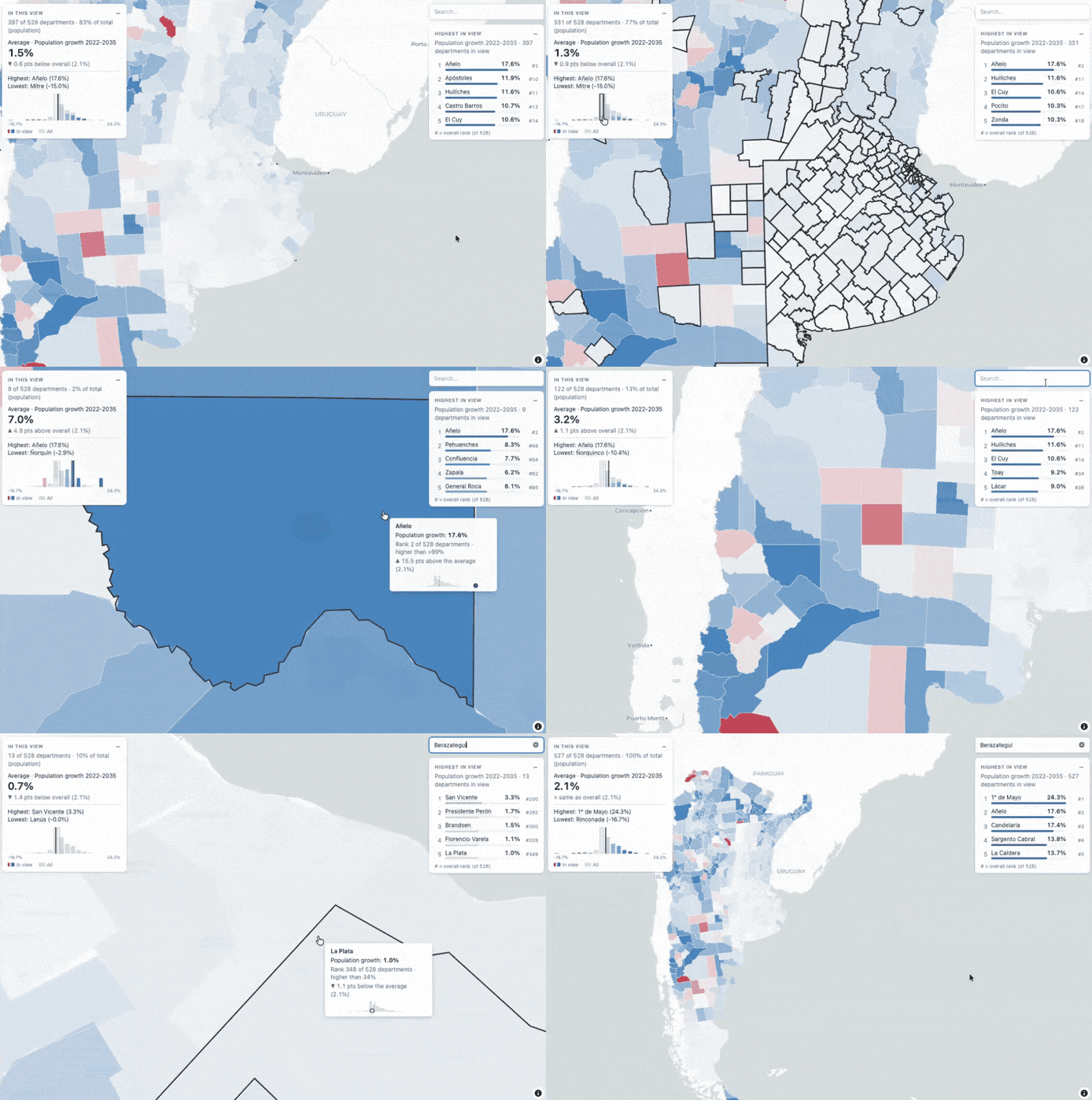
maplore adds components to mapgl maps that help readers understand what they are looking at: as they pan and zoom, the map tells them how the area in view compares with the rest.
add_view_summary(): what is in view, compared with the whole map.add_view_ranking(): which features stand out in view.add_context_tooltip(): whether a value is high or low, and its rank.add_feature_search(): find a place in your own data.maplore is an R package: you use it from R, and its interactive components are written in JavaScript and run in the browser. That is why it works in HTML pages, R Markdown and Quarto documents and dashboards, with no Shiny server.
# install.packages("pak")
# pak::pak("JMTocho/maplore")
install.packages("maplore", repos = c('https://jmtocho.r-universe.dev', 'https://cloud.r-project.org'))
library(mapgl)
library(maplore)

maplibre(center = c(-64, -38.5), zoom = 3.4) |>
  add_fill_layer(
    id = "departments",
    source = ar_departments,
    fill_color = interpolate(
      column = "growth",
      values = c(-10, 0, 10),
      stops = c("#b2182b", "#f7f7f7", "#2166ac")
    )
  ) |>
  add_view_summary("departments", "growth", name_column = "department", suffix = "%") |>
  add_context_tooltip("departments", "growth", name_column = "department", suffix = "%")
The website explains each component, the included datasets and how maplore works.
maplore is experimental, and its functions may still change. Feedback and bug reports are welcome in the issues.
Much of the code was written with the help of an AI assistant (Claude, by Anthropic) and reviewed, tested and checked against independent calculations in R.